
01
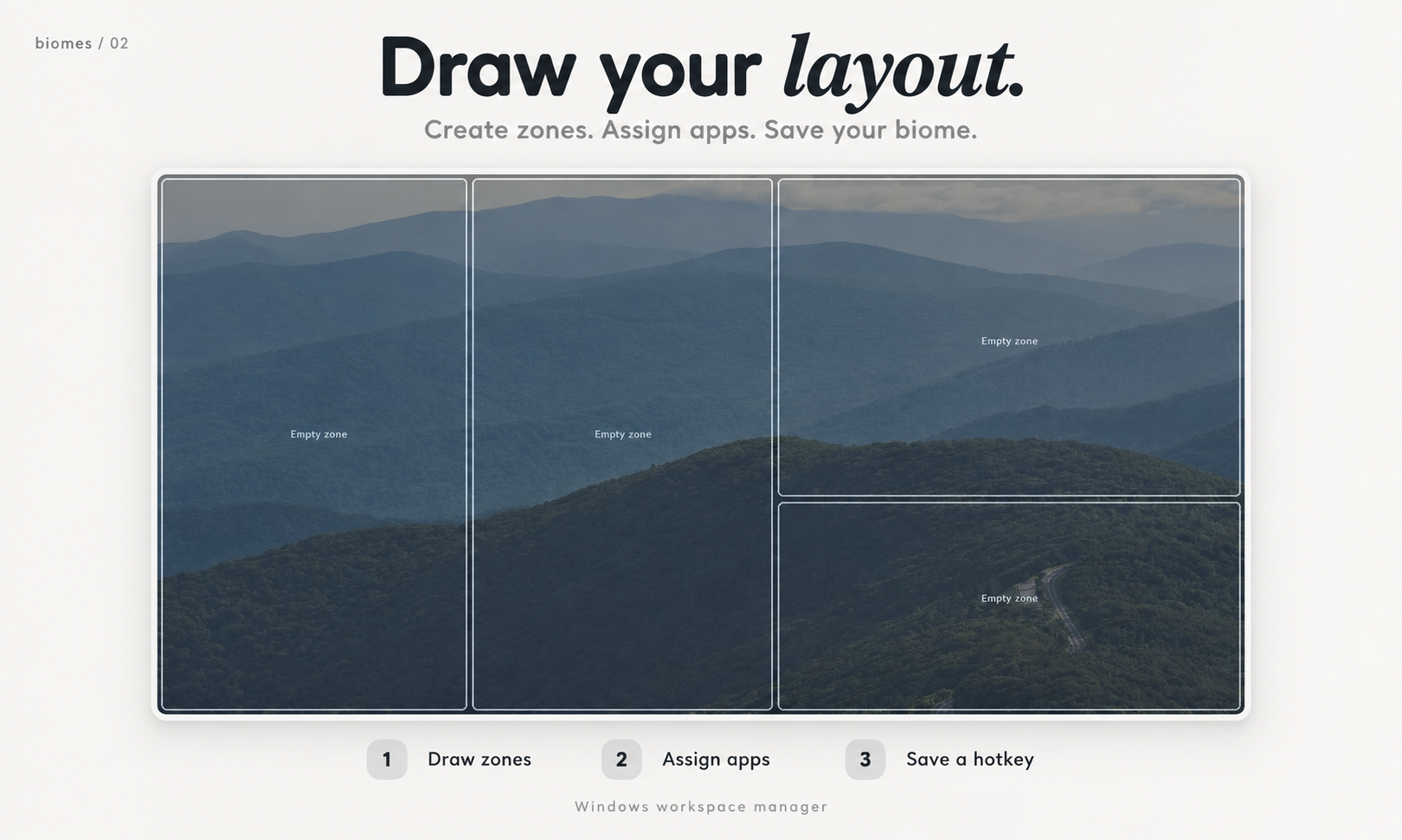
Draw your layout.
Choose Create New Biome and draw zones on your screen.
free, open-source Windows workspace manager
Save a window layout for each part of your day.
Reopen your apps and bring them into place with a click or shortcut.
less setup. more starting.
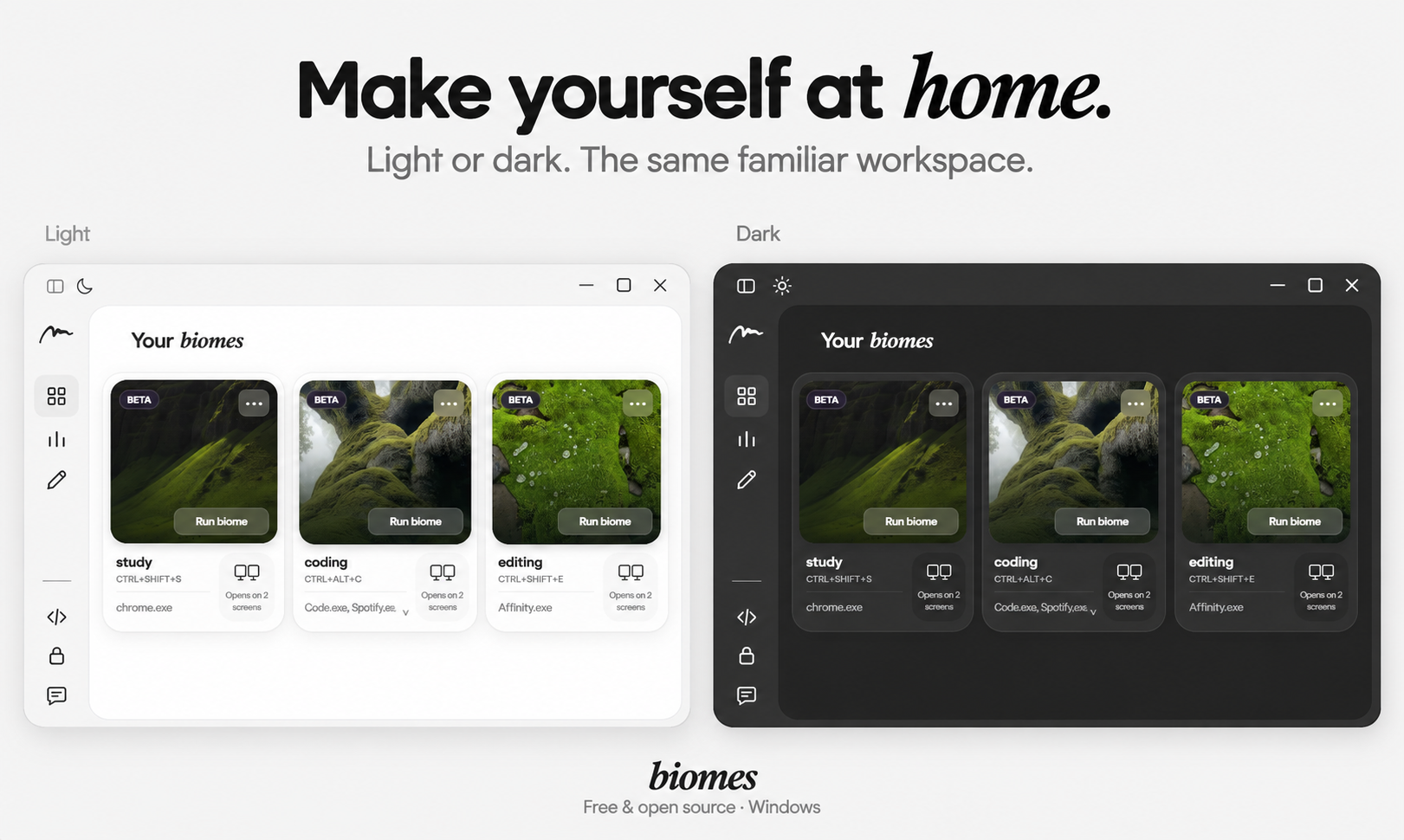
A biome saves the apps and window positions you use together.
Set it up once. Return to it when you?re ready.
more than one interest? make room.
Give each activity its own layout. Choose the apps you need,
and spend less time moving the same windows around.
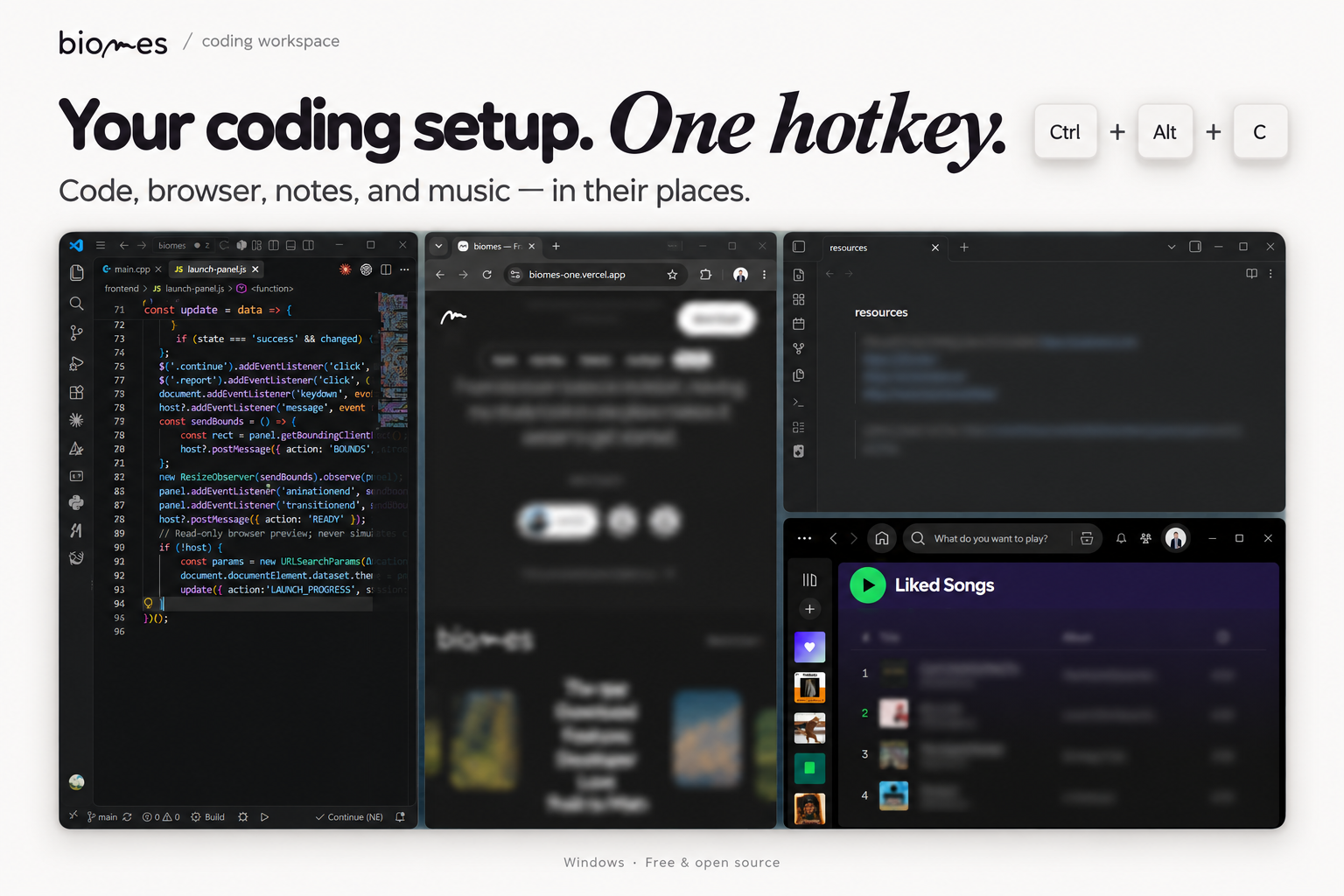
Your editor, browser, and terminal. Each with room to work.
A little more space for your canvas. Your references beside it.
Your reading on one side. Your notes on the other.
Illustrative layouts. Choose your own apps. biomes arranges windows; it doesn?t restore browser tabs or accounts.
made for your setup
Keep your editor on the main display and your reference material alongside it. Save the arrangement as a biome, then bring it back when you need it.
Save layouts for different display setups. When a screen is disconnected, biomes skips its zones.
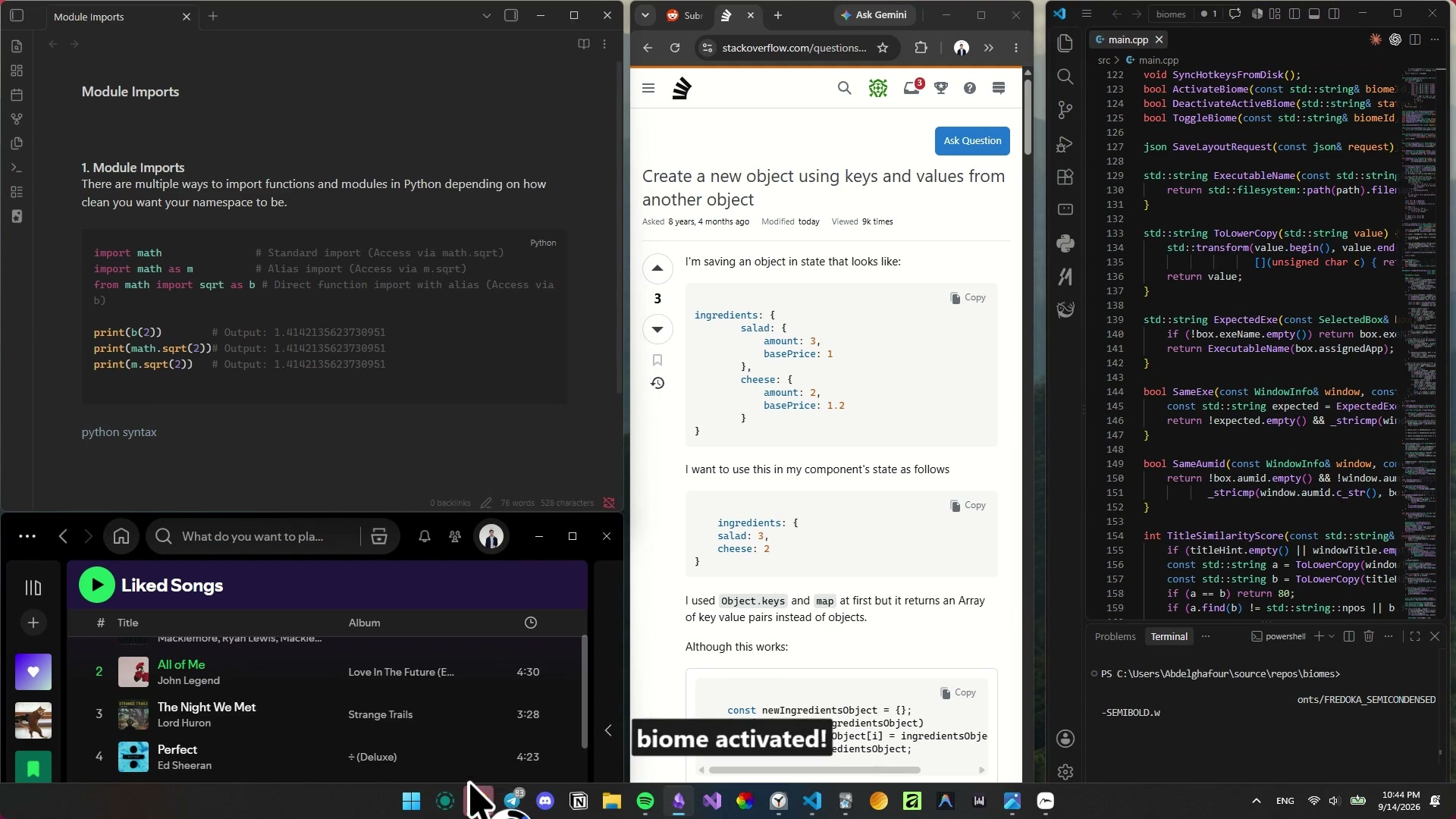
Activate a biome from another app with its global hotkey. No need to open the dashboard.
Your layouts and settings stay on your computer. Start organizing without signing up.
Use biomes for free. Explore the code, report an issue, or help make it better.
Explore on GitHub ?a few useful things
No. Create a layout on one screen or across several monitors.
biomes launches apps and arranges their windows. It does not restore per-zone browser tabs or accounts. Documents an app reopens depend on that app?s own behavior.
Its windows are minimized and tracked positions are restored where possible. Your applications remain open.
Some apps restrict resizing or need interaction before they expose a usable window. biomes is in beta. Read the current limitations ?
Windows 10 or 11, x64. Setup installs Microsoft WebView2 if needed, which requires internet. The beta installer is unsigned, so Windows may show a publisher warning. Official release and checksums ?
a little less friction
Your next session can start with your tools in place.
Download for WindowsBehind biomes
biomes is built independently by Abdelghafour Rebbouh to make desktop workspace management effortless, intentional, and completely open.
01 / a little goes a long way
Directly support future updates and independent building.
02 / an open-source community
Dev logs, open-source releases, and workflow tools for power users.

03 / make it better, together
A bug, a small idea, or something you love. Your experience helps shape biomes.
04 / find your people
Share your setups, trade ideas, and make a little room for each other.
A small star goes a long way.
Star biomes on GitHubOpen the repository and click Star to show your support.Made for your everyday
Draft comments for preview · not verified testimonials
From lecture notes to revision, having my study tools in one place makes it easier to get started.
Med student